_edited.png)


Solve Bandwidth Problems with a Smart Video Encoder

Every TV channel and live streaming service faces a common challenge: bandwidth problems. When your video uses too much data, viewers can see buffering, rough playback and poor picture quality. These issues hurt viewer experience and can reduce the value of your broadcast.
A smart video encoder helps solve these problems by using advanced technology to reduce video size without sacrificing quality. This means you can deliver clear video while using less bandwidth. In this article, we explain how a video encoder works, why it matters and how the right encoder can improve your outdoor broadcasting system.
What Is a Video Encoder?
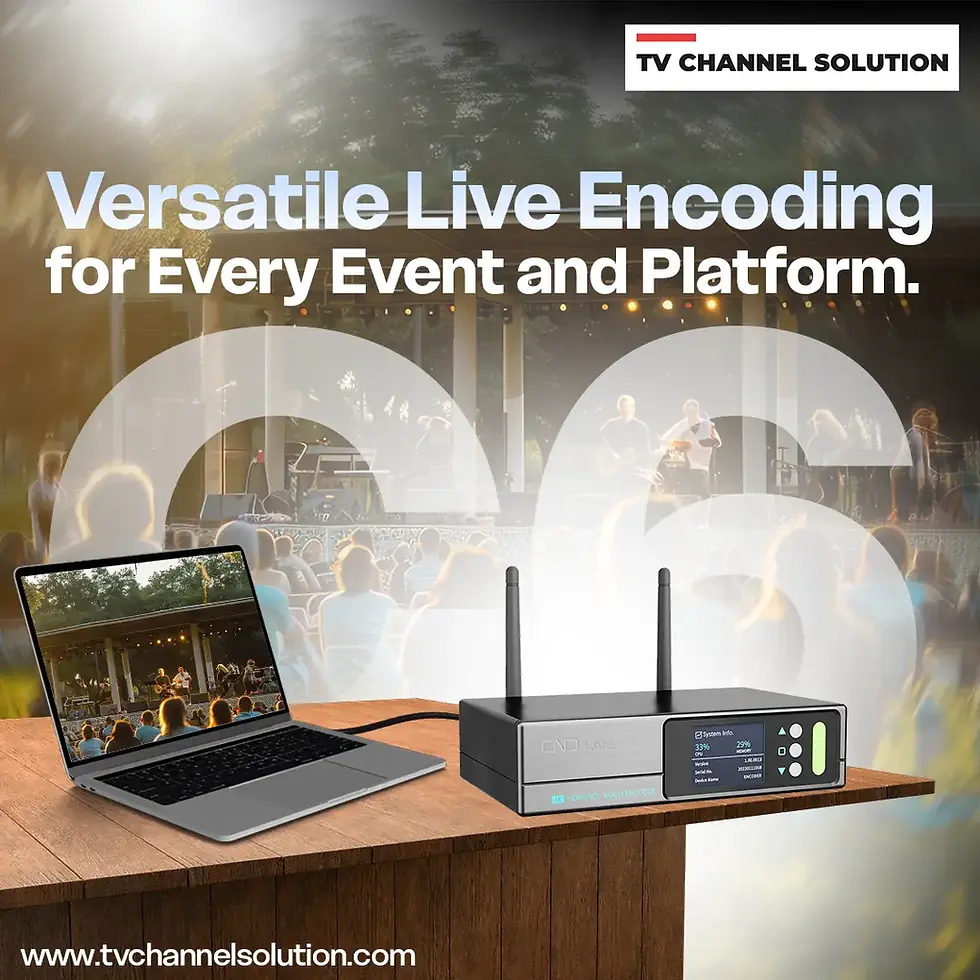
A video encoder is a device that takes video from your camera or studio and turns it into a digital stream that can travel over the internet or other networks. It uses smart compression formats to make the video smaller. These formats help reduce the total data used without making the video look worse.
TV Channel Solution offers many encoder models, including HDMI and SDI input encoders, bonding encoders for outdoor streaming and 4K video encoders for high-quality broadcasts.
Why Is Bandwidth a Big Issue for Broadcasters?
Bandwidth is the amount of data that can flow from your broadcast to viewers at once. If the video data is too large for the available bandwidth, problems begin.
For example, if you try to stream a live sports event in full HD without good compression, the video may buffer or pause for viewers with weaker connections. This can make your channel look unprofessional.
Good compression makes the video lighter, so it moves easily through the network. This helps more viewers watch without interruptions.
How a Smart Video Encoder Solve Bandwidth Problems?
A smart video encoder works by video data while keeping the picture quality strong. Here’s how it helps your broadcast:
A smart internet encoder uses advanced compression formats, which saves more data compared to older formats. This means high-quality video can travel with less bandwidth.
Some encoders allow remote setup and control through a simple web interface. This makes it easy for technicians to monitor the system and adjust settings without being on site.
Most importantly, smart encoders help control bitrate, how much data the video uses per second. When bandwidth drops, the encoder can adjust the bitrate so viewers still get smooth playback.
Real Benefits You Can See
Using a smart video encoder brings clear advantages:
You save money on bandwidth because video streams use less data. This is very important for services and online viewers.
Your broadcast becomes more stable. Viewers will watch longer when the stream doesn’t pause or freeze.
You can stream to many platforms at the same time. A good encoder lets you push your video to TV servers, YouTube, Facebook, social apps and OTT platforms all at once.
If your channel grows, the right encoder can support future upgrades like 4K streaming.
Simple Example: Better Streaming with Less Bandwidth
Imagine you run an online TV channel that streams live music shows. Without a smart encoder, your stream might lag and buffer, especially during peak hours when many people watch.
Then you install a bonding encoder with advanced compression. Now the video uses less bandwidth and stays stable even during busy times. Viewers enjoy smoother playback and complaints drop. This shows how choosing the right encoder directly improves the experience for your audience.
Choosing the Best Encoder for Your Channel
When picking a video encoder, think about what your channel needs. Ask yourself:
Do you need high-definition or 4K support?
Will you stream live events outdoors or from fixed locations?
Do you need remote control and easy setup?
Do you plan to stream to multiple platforms at the same time?
The answer to these will help you choose an encoder that fits your broadcast setup perfectly.
Conclusion
Bandwidth problems can make or break your broadcast. When viewers face buffering and low video quality, they leave and your channel loses credibility.
A smart video encoder makes your broadcasts smoother and clearer while using less bandwidth. With options available from TV Channel Solution, you can find the right encoder for online streaming, outdoor live events or professional TV broadcasting.
Investing in a quality encoder not only solves immediate bandwidth challenges but also strengthens your setup for future growth and higher-quality video delivery.
Contact Us:
Email: info@skywirebroadcast.com
Phone: +91-9210025777
Website: https://www.tvchannelsolution.com/
FAQ
1. What does a video encoder do?
A video encoder converts raw video from a camera or studio system into a digital format that can be streamed over the internet or broadcast through TV networks. It compresses the video to reduce file size while keeping good quality.
2. How does a video encoder reduce bandwidth usage?
A video encoder uses a smart compression format to make the video smaller. This allows you to stream high-quality video while using less internet data.
3. Can a video encoder support live streaming?
Yes. Video encoders are commonly used for live streaming events, news and sports channels. They convert live video into a stream that can be sent to online platforms or TV servers.
4. What inputs are supported by video encoders?
Most professional video encoders support HDMI and SDI inputs. Some models also support IP input and multiple channel encoding.
5. Can one video encoder handle multiple channels?
Some advanced encoders can handle multiple channels at the same time. This helps reduce equipment cost and manage bandwidth more efficiently.
6. How do I choose the right video encoder?
You should consider video resolution (HD or 4K), compression format support, number of channels, input type (HDMI or SDI) and compatibility with your streaming platform.
7. Does a video encoder affect video quality?
Yes, but in a positive way when configured correctly. A good video encoder keeps the video clear and smooth while reducing file size. Proper bitrate and resolution settings help maintain high picture quality.
8. Can a video encoder work 24/7 for TV broadcasting?
Professional video encoders are designed for continuous 24/7 operation. They provide stable performance for TV channels, live events and streaming services without frequent interruptions.
9. Is remote control and monitoring possible with a video encoder?
Yes. Many modern video encoders come with a web-based control panel. This allows users to manage settings, monitor performance and adjust streams from a remote location easily.
10. Can a video encoder stream to multiple platforms at the same time?
Yes. Many professional video encoders support multi-stream output. This means you can send your video to different platforms, servers, or networks at the same time without needing extra equipment. This saves cost and makes your broadcast more efficient.


Comments