_edited.png)


Unlocking Clarity: The Ultimate Guide to the 4K PTZ Camera for Stunning Video Quality
- Tv channel solution

- Aug 4, 2025
- 4 min read
Updated: Apr 24
Discover how the 4K PTZ camera is revolutionising video production and live streaming with unmatched clarity, flexibility and control. This ultimate guide breaks down everything you need to know from key features and setup tips to top models and real-world applications. Whether you're a content creator, broadcaster, educator, or business, learn how to elevate your video quality with the power of 4K PTZ technology.
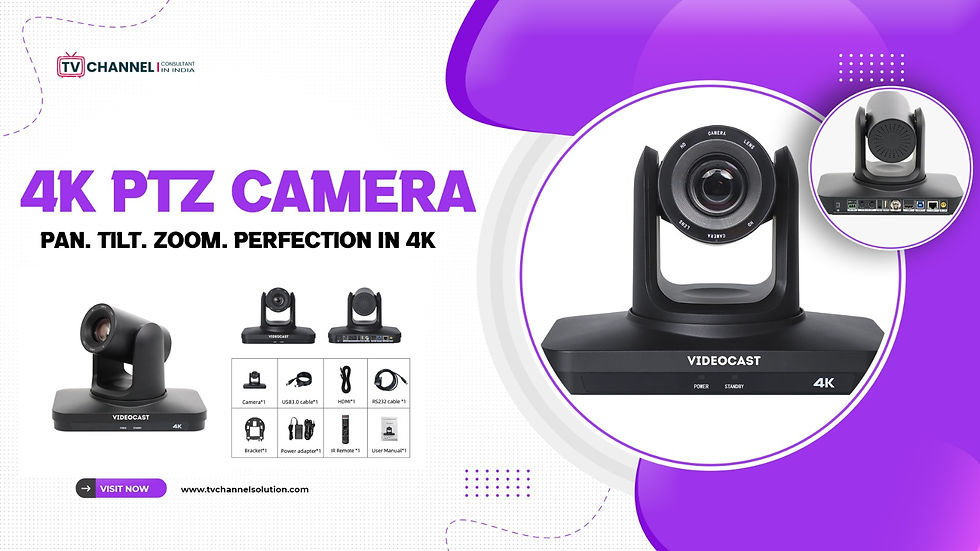
What Does PTZ Mean? Understanding Pan-Tilt-Zoom Technology
Pan-Tilt-Zoom (PTZ) technology represents a significant evolution in camera functionality, providing operators with the ability to control the camera's movements remotely. The 'Pan' refers to the camera's ability to move horizontally from side to side, covering a wide area without needing to shift the physical position of the device.
The 'Tilt' aspect of PTZ technology allows the camera to move vertically, enabling the operator to capture high-angle and low-angle shots without manual adjustments. Lastly, the 'Zoom' function in the 4k PTZ camera provides the ability to adjust the focal length, bringing distant subjects into sharp focus or widening the frame to include more of the scene. With the advent of 4K resolution, zooming in on a subject does not compromise the image quality.
Key Features of 4K PTZ Cameras
Ultra HD Resolution (4K)
Capture every detail with stunning clarity—perfect for professional broadcasts, webinars, worship, events and online teaching.
Pan-Tilt-Zoom Control
Remotely control the camera’s wide pan, smooth tilt and optical zoom to cover every angle without moving the device.
Low-Light Performance
Advanced image sensors ensure clear, noise-free video even in dim lighting environments.
Network Streaming & Control (NDI / IP / RTMP)
Stream directly to platforms like YouTube, Facebook, or custom RTMP servers via a network connection.
PoE (Power over Ethernet)
Simplifies setup by delivering power, video and control through a single network cable.
Benefits of Using 4K PTZ Cameras for Video Production
The primary benefit of using Videocast 4K PTZ cameras in video production is the superior image quality they provide. The 4K resolution ensures that every detail is captured with remarkable clarity, resulting in vibrant and lifelike visuals. This level of detail is particularly important for professional productions where image quality is paramount. Whether it's a live broadcast, a corporate video, or a documentary, 4K PTZ cameras help to create an immersive viewing experience that captivates audiences.
Comparing 4K PTZ Cameras with Traditional Cameras
When comparing 4K PTZ cameras with traditional cameras, several key differences and advantages become apparent. One of the most notable differences is the remote control capability of PTZ cameras. Traditional cameras typically require manual operation, with a camera operator physically adjusting the position and focus. In contrast, PTZ cameras can be controlled remotely, allowing for greater flexibility and efficiency in capturing dynamic scenes.
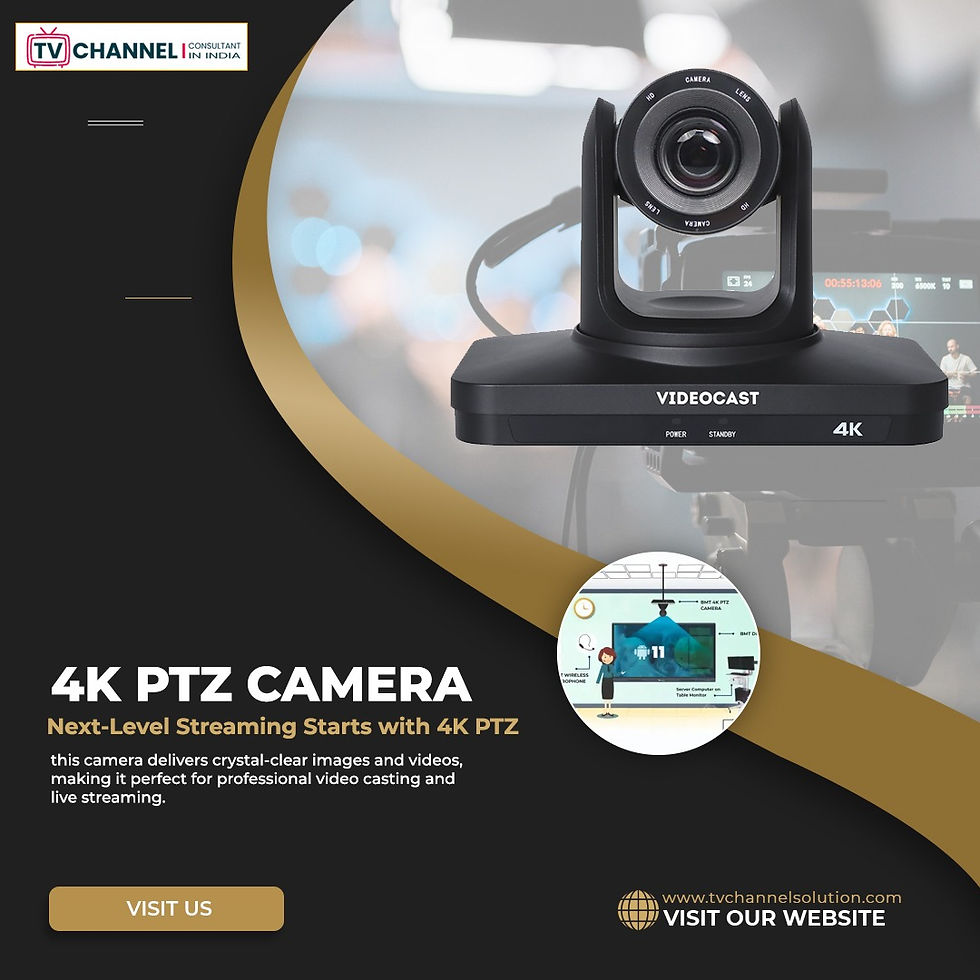
Choosing the Right 4K PTZ Camera for Your Needs
Selecting the right 4K PTZ camera for your specific needs involves considering several key factors. First and foremost, it's important to assess the intended use of the camera. Different applications may require different features and specifications. For example, a camera used for live streaming in a church may need excellent low-light performance and quiet operation, while a camera for sports broadcasting might prioritise high-speed autofocus and robust build quality.
Setting Up Your 4K PTZ Camera: A Step-by-Step Guide
Setting up your Videocast 4K PTZ camera involves a series of steps to ensure optimal performance and video quality. The first step is to mount the camera in the desired location. Depending on your setup, this may involve attaching the camera to a tripod, wall mount, or ceiling mount. It's important to ensure that the camera is securely mounted and positioned to cover the intended area. Take into account the range of motion required for pan, tilt and zoom functions when choosing the mounting location.
Common Mistakes to Avoid When Using 4K PTZ Cameras
While 4K PTZ cameras offer numerous advantages, there are some common mistakes that users should avoid to ensure optimal performance and video quality. One of the most frequent mistakes is neglecting proper camera placement. Placing the camera too far from the subject or in an obstructed location can result in poor framing and reduced image quality. Always consider the camera's field of view and ensure that it has a clear line of sight to the intended subject.
Conclusion
In conclusion, TVChannel Solution 4K PTZ cameras represent a significant advancement in video production technology, offering unparalleled image quality and versatility. With their advanced pan, tilt and zoom capabilities, these cameras provide the flexibility and precision needed to capture stunning visuals in any setting. Whether you're a professional videographer or an enthusiastic hobbyist, understanding and utilising the features of 4K PTZ cameras can elevate your video productions to new heights.
Contact Us:
Email: info@skywirebroadcast.com
Phone: +91-9210025777
Website: https://www.tvchannelsolution.com/
Frequently Asked Questions (FAQs)
1. Which 4K PTZ camera is best for professional live streaming setups?
The best 4K PTZ camera offers NDI, 20x+ optical zoom, low latency and reliable IP streaming for broadcast-quality live production.
2. How do I choose the right 4K PTZ camera for my studio or event setup?
Choose based on zoom range, connectivity (NDI/SDI/HDMI), lighting condition and streaming workflow compatibility.
3. Is investing in a 4K PTZ camera cost-effective for multi-camera production?
Yes, it reduces manpower costs, enables remote operation and replaces multiple static cameras in professional workflows.
4. What connectivity options are essential in a professional 4K PTZ camera?
NDI, SDI, HDMI and RTMP/IP streaming are essential for seamless integration into modern broadcast and live streaming systems.
5. Do I need a video switcher with a 4K PTZ camera setup?
Yes, a video switcher is essential for multi-camera switching, transitions and delivering a professional live production output.
6. What is the best 4K PTZ camera for low-light indoor environments?
Choose models with advanced sensors, a high signal-to-noise ratio and a wide dynamic range for clear video in low-light conditions.
7. How scalable is a 4K PTZ camera system for growing production needs?
Highly scalable, supporting multi-camera IP setups, centralised control and easy expansion for larger productions.
8. Which is better for professional workflows: NDI or HDMI PTZ cameras?
NDI is better for scalable, network-based production, while HDMI suits small setups with limited distance and simpler workflows.
9. What are the hidden costs of setting up a 4K PTZ camera system?
Costs include controllers, mounts, cabling, network upgrades and video switchers for a complete production setup.
10. Can a 4K PTZ camera replace a full camera crew?
Yes, remote control, presets and automation reduce dependency on multiple operators in live productions.


Comments